Real-Time Activity Tracking
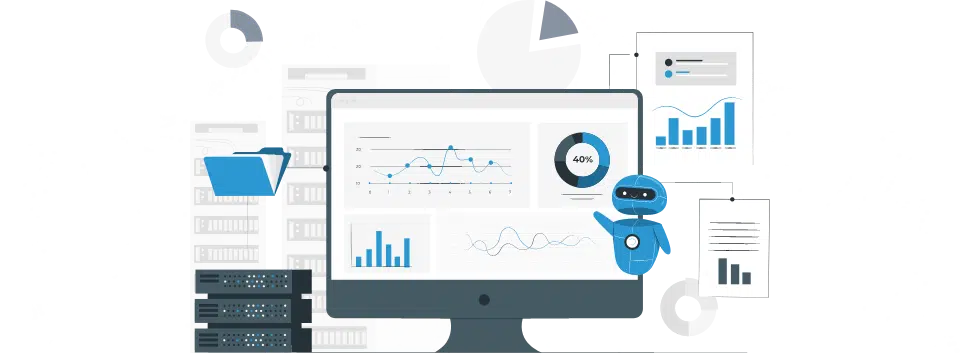
- Active Time Monitoring: Track employee working hours in real time using the built-in timer to distinguish between productive and idle time.
- Boost Productivity: Identify time management patterns and encourage employees to stay engaged with tasks throughout the workday.
- Effortless Reporting: Automatically generate performance reports, giving you a clear view of team productivity and engagement levels.


Customizable Attendance and Break Management
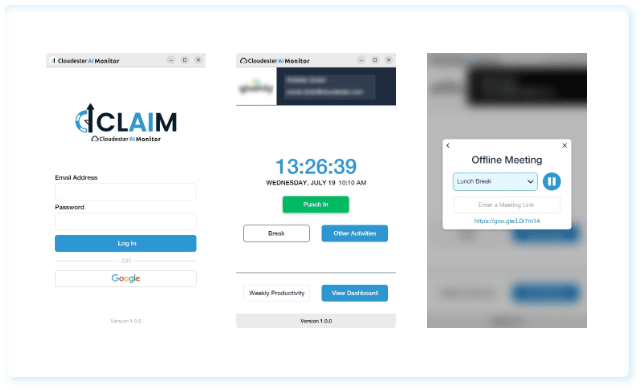
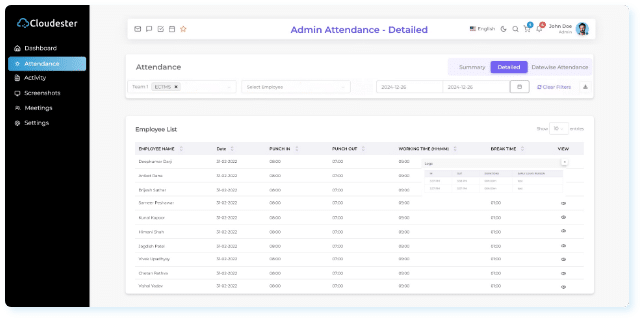
- Punch In/Out System: Simplify attendance tracking with an easy-to-use punch in/out feature, including the ability for employees to submit early exit reasons.
- Break Time Configuration: Set up and manage break durations for short pauses or lunch breaks, ensuring a balance between work and rest.
- Automated Attendance Tracking: Automate attendance logging to reduce errors, improve accuracy, and maintain real-time records.
Screenshot Capture and Privacy Control
- Customizable Screenshot Frequency: Capture screenshots at predefined intervals (e.g., every 5 minutes) to monitor employee activity without disruption.
- Privacy-First Approach: Ensure screenshots are taken only during active working hours, respecting employee privacy.
- Easy Access and Review: View, download, and analyze screenshots from the dashboard to assess focus and productivity levels across teams.

Enhanced Employee Productivity Monitoring
Real-time Active Time Tracking: Keep track of employee activity with built-in timer clocks to distinguish between productive and idle hours.
Automated Attendance Tracking: Easily monitor employee attendance with Punch In/Out features, including the option to submit early leave reasons.
Break Time Management: Set structured breaks for employees, ensuring they have adequate rest while maintaining productivity standards.
Meeting Request Logging: Track meeting times, helping to measure collaborative efforts and maintain accurate work schedules.
Comprehensive Analytics for Informed Decision-Making
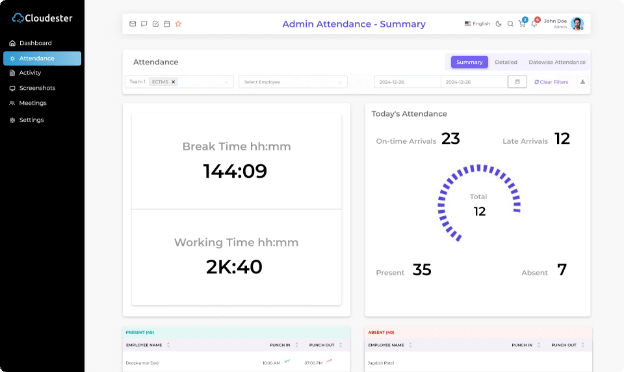
Attendance Insights: Get daily, weekly, and monthly summaries to track attendance trends and monitor absenteeism patterns.
Performance Dashboards: Visualize work hours, attendance, and productivity metrics in an intuitive, centralized dashboard.
Screenshot Capture for Accountability: Configure custom screenshot intervals to monitor employee focus and task completion.
Detailed Reports: Generate reports on employee performance, late arrivals, working hours, and meeting durations for better insights.
Secure User Management & Access Control
Role-Based Access: Customize access levels for each user, assigning roles such as Admin, Manager, and Employee with specific permissions.
User Addition & Editing: Seamlessly add, edit, or delete user profiles with relevant details to ensure up-to-date employee information.
Granular Permissions: Set specific permissions for module access (e.g., attendance, screenshots, analytics) based on employee roles.
Secure Login & Two-Factor Authentication: Ensure secure access with unique email credentials and the upcoming two-factor authentication feature.
Seamless Configuration for Custom Business Needs
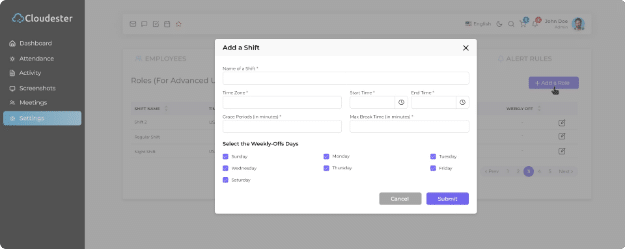
Shift & Work Hour Settings: Define multiple shift configurations with flexible start/end times and working hours to suit your business needs.
Break Time Customization: Tailor break durations and frequencies, ensuring employees adhere to company policies and maintain a healthy work-life balance.
Meeting Settings: Log both online and offline meeting times, with customizable durations for team collaboration and HR/Manager sessions.
Idle Time Alerts: Set alerts for inactivity to promote focus and minimize unproductive idle time.
Our Engagement Models
-

Dedicated AI Development Team
Our proficient AI and blockchain developers are fully immersed in leveraging cognitive technologies to provide exceptional services and solutions to our clients.
-
Extended Team Enrichment
Our extended team model is thoughtfully designed to support clients in expanding their teams with the necessary expertise for AI-driven projects.
-
Project-focused Strategy
Embracing our project-based approach, our skilled software development specialists collaborate directly with clients and the triumphant realization of AI-infused projects


Discovering Cloudester
Bringing inventive solutions to address your most significant business obstacles.

Extensive Expertise
Leveraging over 12 years of experience, we excel in crafting triumphant AI solutions for you.

Diverse Skill Set
Our senior AI developers possess prowess in AI, NLP, and Big Data, ensuring comprehensive solutions.

Domain Proficiency
Your distinct challenges are understood, paving the way for tailor-made solutions that precisely fit your requirements.
Get Started Today

Contact Us
Complete our secure contact form, Book a calendar slot and set up a Meeting with our experts.

Get a Consultation
Engage in a call with our team to evaluate the feasibility of your project idea. We’ll discuss the potential, challenges, andopportunities.

Receive Cost Estimates
Based on your project requirements, we provide a detailed project proposal, including budget and timeline estimates.

Project Kickoff
Upon agreement, we assemble a cross-disciplinary team to initiate your project. Our experts collaborate to launch your project successfully.
Start a conversation by filling the form
Build your top-notch AI product using our in-depth experience. We should discuss your project.
Impressions
Sep 15, 2026
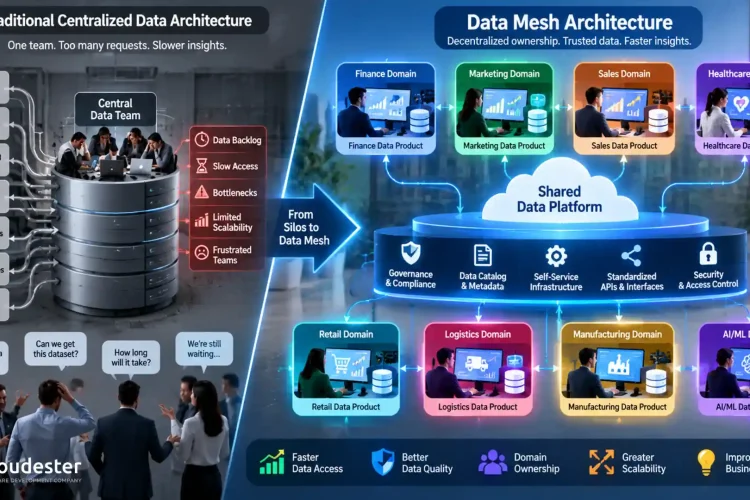
What Are the Benefits and Challenges of Data Mesh Architecture?
Enterprise data has outgrown the systems that were supposed to manage it. A mid-size company today pulls data from CRMs, product logs, marketing platforms, ERP systems, and a dozen SaaS tools nobody quite remembers signing off on, and every one of those sources keeps growing faster than the last. The central data team that used […]
Read more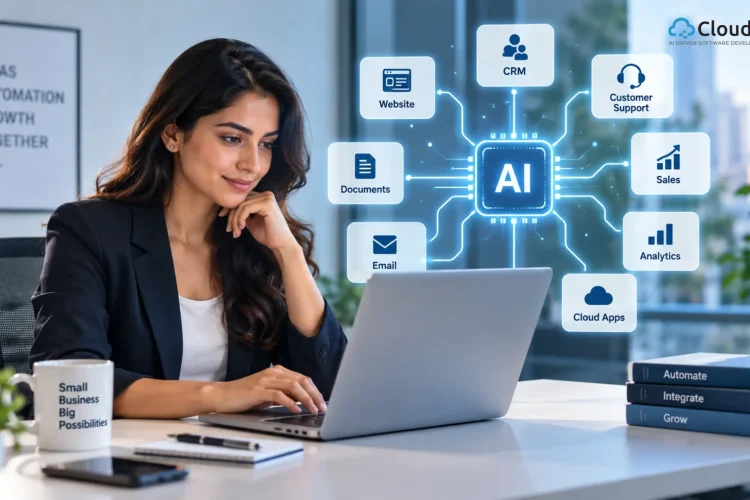
Sep 14, 2026
AI Integration Services for Small Businesses: How to Use It for Growth?
AI Integration Services for Small Businesses are not simply about adopting new technology. Their real purpose is to connect AI with existing websites, CRM systems, customer support, sales, and other business tools to make day-to-day work faster and easier. When implemented correctly, AI can help reduce repetitive tasks, speed up customer responses, manage leads, and […]
Read more
Sep 12, 2026
What Can AI Agents for Marketing Do for Modern Businesses?
AI agents for marketing are changing how businesses handle repetitive work, analyze customer behavior, and move campaigns from planning to execution. Instead of relying only on fixed automation rules, companies can use intelligent agents to coordinate tasks, interpret information, and take action across connected marketing workflows. That shift matters because marketing teams now manage more […]
Read more