
What Are the Stages of Web Development? A Complete Step-by-Step Guide
June 30, 2026
By Cloudester Team
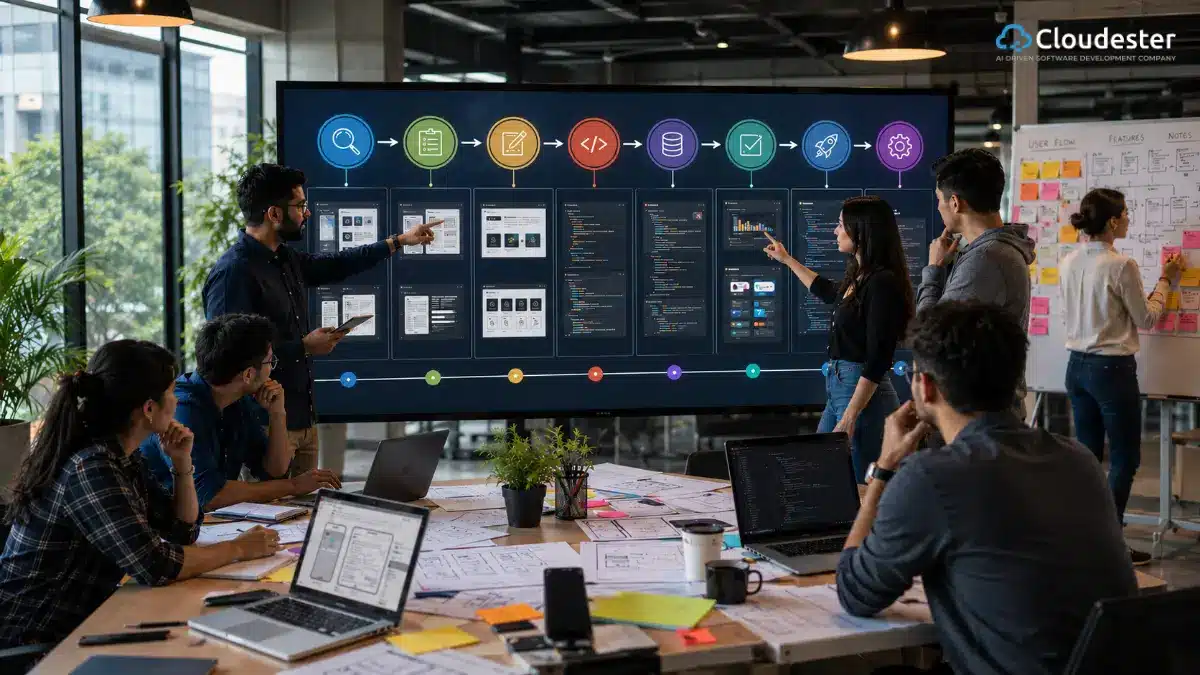
AI Generated. Credit: ChatGPT
If you’ve ever been part of a web development project that went sideways, you already know why understanding the stages of web development matters. There’s a reason Healthcare.gov became a cautionary tale.
8 million people tried to use it on launch day. Less than 1% of them actually completed a transaction. The project had money, smart people, and good intentions. What it didn’t have was clarity about its own scope from day one.
That’s what this is really about. The stages of web development exist for a reason. They’re not bureaucracy. They’re the difference between shipping something that works and shipping something that fails in front of millions of people.
So let’s walk through what these stages actually are, why they matter, and what goes wrong when companies skip them.
What Is the Web Development Life Cycle?
The web development life cycle is basically your roadmap from “we have an idea” to “this thing is actually working and making money.” It’s a structured process that moves an idea through distinct phases: discovery, planning, design, development, testing, launch, and maintenance.
Here’s why this matters. When you have a defined web development lifecycle, you catch problems early. You get your team aligned. You actually know what you’re building before engineers start writing code. Teams that skip this or treat it like a suggestion end up 40% over budget and three months late. The ones that follow a solid process stay on track.
The benefits are straightforward. You save money because you’re not rebuilding things halfway through, save time because decisions are made upfront, not revisited every sprint, and you ship better quality because you’ve tested for problems instead of discovering them in production.
And your team stays sane because there’s actually a plan instead of constantly shifting requirements.
Stage 1: Project Discovery and Requirement Gathering
This is where everything either gets set up right or is destined to fail. You’re answering basic questions. What are we actually building? Who’s going to use it? What problem does it solve? These sound obvious. They’re not. This is where most projects lose their way.
You need to understand the business goals. Not vague goals like “increase engagement.” Real goals. Are you trying to get more customers? Reduce support costs? Launch in a new market? These answers drive everything that comes next.
Then you talk to your target audience. Who actually uses this? Young people? Older people? Tech-savvy folks or people just trying to get something done? This shapes everything from design to feature priority. A banking app looks different from a social media app because the people using them have different needs and different patience levels.
Gather the functional requirements. What does the site actually need to do? Make a list. Then make it more specific. “Users can pay for things” is not specific. “Users can complete a purchase in under 90 seconds on mobile” is specific. The specificity is what keeps you honest.
Do competitor research. Not to copy them, but to understand the landscape. What are successful competitors doing? What are people complaining about? Where’s the gap? This research literally saves months of development because you know what not to do.
Stage 2: Planning and Strategy
Now you’re building the blueprint. You’re creating website architecture. This is your sitemap, your content hierarchy, and how pages connect. Structure affects everything, search rankings, usability, and how quickly people find what they need.
Define user journeys. This means mapping out what a person actually does on your site from arrival to goal completion. A customer comes in, browses products, adds something to a cart, enters payment info, and confirms. Map each step. This helps you prioritize what’s critical and what’s nice-to-have.
Choose your technology stack. These are the programming languages, frameworks, databases, and hosting platforms. You’re making big decisions here that cascade for years. Get this wrong, and you’ll spend the entire project fighting your tools. Get it right, and development moves fast.
Project timeline and budget. Be realistic. Very realistic. Most teams underestimate because they don’t know what they don’t know. Build in a buffer. And honestly, this is where professional web development services add real value. Experienced teams have actually done this before and know how long things actually take, not how long you hope they take.
Stage 3: UI/UX Design
This is where your website starts looking like an actual website instead of a spreadsheet. Wireframing is first. These are ugly sketches. They’re not pretty. They show layout, they show where buttons go, they show the information architecture. Low-fidelity wireframes are intentionally rough because you’re not showing the design; you’re showing the structure.
Then prototyping. Higher fidelity. Closer to real. You’re testing user flows. Does a person understand how to navigate this? Can they complete the tasks you want them to complete? Interactive prototypes catch problems before a single line of code is written, which saves time and money.
Visual design is where color, typography, and imagery all come together. This is where the branding lives. But here’s the critical thing: visual design should serve usability, not the other way around. The beautiful site that’s slow and confusing isn’t beautiful. It’s a failure. 53% of mobile users leave if a page takes more than three seconds to load. Your design needs to be fast, readable, and understandable under pressure. That means clear hierarchy, predictable navigation, stable layouts that don’t shuffle around as the page loads.
Mobile-first design approach. Not mobile-friendly. Mobile-first. You design for mobile constraints first. Then you expand. Why? Because half your users are on mobile, and they have the worst conditions. Limited bandwidth, small screens, slow processors. If it works for them, it definitely works for the desktop.
Stage 4: Front-End Development
This is HTML, CSS, and JavaScript. It’s the part users see and interact with. Responsive design implementation means your site actually works on phones, tablets, and desktops. Doesn’t just look okay. Actually works.
User interface development is coding everything people click on, everything they see. Forms, buttons, navigation, animations. It’s all coming together from the design work that happened before.
Stage 5: Backend Development
Server-side programming. Database development. API integration. This is the machinery nobody sees, but everything depends on. The backend is what stores data, processes transactions, and handles authentication. If the front-end is the storefront, the backend is the warehouse and the supply chain.
Security implementation isn’t an afterthought. It’s baked in from the start. You’re handling data. People trust you with it. Get this wrong, and it’s not just a technical problem; it’s a legal and reputational disaster.
Stage 6: Testing and Quality Assurance
- Functional testing. Does everything do what it’s supposed to do? Click this button. Does this happen?
- Performance testing. Can the site handle the traffic you’re expecting? More importantly, can it handle traffic spikes?
- Security testing. Are there vulnerabilities someone could exploit?
- Cross-browser testing. Your site needs to work in Chrome, Firefox, Safari, and Edge. On different operating systems. Different devices. This sounds like a pain because it is a pain. But it’s non-negotiable.
This stage is your gatekeeper. The QA team’s job is to make sure nothing breaks in production that could have been caught before launch. Think about it: Finding a bug after 10,000 people are using it is exponentially worse than finding it before.
Stage 7: Deployment and Launch
Production environment setup. Your site’s going live. You need hosting that works, domain settings configured, SSL certificates, and all of that infrastructure in place.
Final website review. Last check. Everything working? Analytics tracking set up? Is monitoring in place so you know if something breaks?
Going live is the moment. But it’s not the finish line. It’s the start.
Stage 8: Website Maintenance and Continuous Improvement
Security updates. Keep your dependencies current. Vulnerabilities get discovered. You patch them.
Performance monitoring. Real user monitoring, not just server metrics. Know how fast your site actually is for real people in real conditions. Not your development machine on your office WiFi.
Feature enhancements. Users want things you didn’t anticipate. Competitors release updates. Markets change. Your site needs to evolve.
SEO optimization. This isn’t a one-time thing. Search rankings shift. Algorithms change. You keep optimizing.
Custom AI Software Development Solution For Enterprises
Common Challenges During Website Development
Scope creep is the killer. Someone decides midway through that the project also needs an analytics dashboard. And a community forum. And AI recommendations. Small things individually, cataclysmic in aggregate. 52% of software projects experience scope creep. It costs up to four times the original budget when it happens.
Poor communication creates misalignment. The designer thought the site was supposed to be simple and minimal. The business wants tons of features. The engineers didn’t know about either expectation. Three months in, everyone’s frustrated.
Technology selection mistakes are expensive. You pick a framework that sounds good. Turns out it doesn’t scale. Now you’re rewriting.
Security concerns. Companies treat security like a checkbox at the end. Then they get hacked, and it’s expensive and embarrassing and sometimes illegal.
Best Practices for a Successful Website Development Process
Define clear objectives from the start. Write them down. Get stakeholder sign-off. This prevents the “I thought we were building something else” conversation at month four.
Focus on user experience. Not just features. Not just aesthetics. Can actual users accomplish their goals without frustration? That’s what matters.
Prioritize security. Not as an afterthought. From day one.
Optimize for SEO from the beginning. Not as something you do after launch. Structure, navigation, and content strategy, all of it affects search visibility.
Why Businesses Choose Professional Web Development Services
Expertise actually matters. Experienced teams have made every mistake you’re about to make and learned from it.
Faster delivery. You think you’re saving money doing it in-house. You’re not. You’re just slower. Professional teams have processes, tools, and experience that your first project doesn’t have.
Better scalability. They’re thinking about how your site grows. Not just the launch.
Long-term maintenance support. A professional partner sticks around and helps you maintain, optimize, and improve. Your in-house team eventually gets pulled toward other projects.
Also read: Stages of Agile Software Development Life Cycle
Frequently Asked Questions
What are the stages of web development?
Discovery, planning, design, development (front-end and backend), testing, deployment, and maintenance. Cloudester Software and other professional agencies follow these stages rigorously because skipping or shortcutting any of them creates problems downstream.
How long does the website development process take?
Depends on complexity. Simple site? A few weeks. Complex platform? Several months. Budget time for discovery and planning, especially. People want to skip to building. That’s the mistake.
What is the most important stage of web development?
Discovery. Get this wrong, and everything downstream is wrong.
What happens after a website is launched?
Nothing’s finished. You monitor performance, gather user feedback, fix bugs, and improve based on data. The site evolves.
How much does website development cost?
Anywhere from thousands to millions, depending on complexity. Custom software development costs more than templates. UI/UX design services are investments. Backend development services scale with complexity.
Why is testing important in web development?
Because shipping bugs is expensive and embarrassing.
What’s the difference between front-end and backend development?
The front-end is what users see. Backend is what makes it work. Both are critical.
Can a website be updated after launch?
Yes. That’s literally the maintenance stage. Your site will be updated regularly.
What technologies are used in web development?
Hundreds. React, Vue, Angular on the front-end. Python, Node.js, Ruby on Rails on the backend. PostgreSQL and MongoDB for databases. Cloudester Software and comparable agencies stay current with what actually works in production, not just what’s trendy.
How do I choose a web development company?
Look at their portfolio. Ask about their process. Do they follow a structured web development lifecycle? How do they handle scope creep? What’s their testing approach? These questions matter more than cheap pricing.
Also read: What Global Web Development Companies Actually Charge
Conclusion
The stages of web development exist because companies that skip them fail. Healthcare.gov isn’t an anomaly. It’s a warning. Understanding and following a proper web development process is what separates the sites that work from the sites that don’t.
If you’re serious about building something that actually works, that performs, that your users enjoy using, follow the process. Don’t skip discovery and planning. And treat design as decoration. Don’t skip testing. The stages of web development aren’t optional steps. They’re the way things actually get built right.
Your website needs a foundation, a strategy. Careful design. Quality development. Rigorous testing. That’s what makes the difference between a digital asset and a digital disaster.
Back
Latest posts


July 30, 2026


July 22, 2026