
Our Clients







2011
Founded
Year
50+
Achieved
Awards
98%
Clients Retention
100+
Core
Team
120+
Projects Implemented
40%
Business Efficiency with AI
Why Choose Cloudester for Remote Work Management Software
-
14+ years of experience delivering scalable remote work management software solutions.
-
Skilled team of developers, designers, and project managers ensuring high-quality delivery.
-
Expertise in building custom remote worker management software tailored to business needs.
-
Use of modern technologies such as AI, cloud computing, and automation tools to improve performance.
-
Seamless integration with existing business tools, including CRM, ERP, and communication platforms.
-
Focus on a user-friendly design that improves team adoption and productivity.
-
Strong data security practices to protect sensitive business information and ensure compliance.
-
An agile development approach that ensures faster delivery and continuous improvements.
-
Dedicated support and maintenance services to ensure smooth long-term operations.
Key Challenges in Managing Remote Teams
Managing remote teams requires more than basic communication tools. Without the right systems in place, businesses often face operational gaps that affect productivity, accountability, and overall performance.
-

Limited Visibility Into Work Progress
- Lack of real-time insight into tasks and employee activities.
- Difficulty tracking progress across multiple projects and teams.
- Uncertainty in measuring actual productivity levels.
-
Communication Gaps and Delays
- Misalignment due to scattered communication channels.
- Delayed responses impacting project timelines.
- Lack of clarity in instructions and expectations.
-
Reduced Accountability and Ownership
- Difficulty ensuring responsibility for assigned tasks.
- Missed deadlines due to a lack of structured tracking.
- Challenges in maintaining consistent performance standards.
-
Time Tracking and Productivity Issues
- Inability to accurately monitor working hours.
- Lack of data to evaluate performance trends.
- Difficulty identifying productivity bottlenecks.
-
Team Collaboration Challenges
- Limited collaboration across departments and roles.
- Difficulty in managing team workflows remotely.
- Reduced engagement among remote employees.
-
Security and Data Access Risks
- Increased risk of unauthorized data access.
- Challenges in managing secure remote environments.
- Lack of proper access controls and monitoring systems.


How Remote Work Management Software Solves These Problems
Remote work management software addresses common remote team challenges by bringing structure, visibility, and control into daily operations. It replaces scattered tools with a unified system that improves coordination, accountability, and performance.
-
Real Time Visibility and Tracking
- Provides live dashboards to monitor tasks and team progress.
- Offers clear insights into who is working on what and the current status.
- Helps managers make faster and more informed decisions.
-
Centralized Communication
- Brings all team communication into one platform.
- Reduces confusion caused by multiple tools and channels.
- Ensures clear and consistent information sharing across teams.
-
Improved Accountability and Task Ownership
- Assigns clear responsibilities with defined deadlines.
- Tracks task completion and individual contributions.
- Encourages ownership and consistent performance.
-
Accurate Time and Productivity Monitoring
- Tracks working hours and activity levels automatically.
- Provides data-driven insights into productivity trends.
- Helps identify inefficiencies and optimize workflows.
-
Enhanced Team Collaboration
- Enables seamless collaboration across remote and hybrid teams.
- Supports file-sharing, task discussions, and workflow management.
- Improves team alignment and engagement.
-
Strong Security and Access Control
- Implements role-based access to protect sensitive data.
- Monitors system usage and prevents unauthorized access.
- Ensures secure remote work environments for distributed teams.


Core Features of Remote Work Management Software
Remote work management software combines multiple capabilities into one platform to help businesses manage teams efficiently, maintain visibility, and improve overall productivity.
-
Task and Project Management
- Create, assign, and track tasks with clear deadlines and priorities.
- Organize projects with structured workflows and progress tracking.
- Ensure better planning and execution across teams.
-
Time Tracking and Activity Monitoring
- Automatically track work hours and employee activity.
- Monitor productivity trends with detailed reports.
- Identify time usage patterns to improve efficiency.
-
Real Time Reporting and Analytics
- Access performance dashboards with actionable insights.
- Generate reports for team productivity and project status.
- Support data-driven decision-making with accurate metrics.
-
Team Communication and Collaboration
- Enable direct messaging and group discussions in one place.
- Share files, updates, and feedback instantly.
- Improve coordination without switching between tools.
-
Workflow Automation
- Automate repetitive tasks and approval processes.
- Reduce manual effort and human errors.
- Increase operational efficiency with streamlined workflows.
-
Integration With Business Tools
- Connect with CRM, project management, and communication platforms.
- Ensure seamless data flow across systems.
- Improve overall productivity by reducing tool fragmentation.
-
Role-Based Access and Security
- Control access based on user roles and responsibilities.
- Protect sensitive data with secure authentication systems.
- Maintain compliance with industry standards.
-
Employee Performance Management
- Track individual and team performance with measurable KPIs.
- Identify high performers and areas that need improvement.
- Support continuous feedback and performance optimization.


Awards







Certification

Implementation Process and Support
A well-defined implementation process ensures that remote work management software is adopted smoothly without disrupting daily operations. A structured approach helps businesses transition quickly while maximizing long-term value.


Requirement Analysis and Planning
The process starts by understanding business goals, workflows, and remote team challenges. This helps define clear requirements and create a structured implementation plan.
Solution Design and Development
A tailored solution is designed and developed to match operational needs. The focus is on flexibility, usability, and long-term scalability.
Integration With Existing Systems
The software integrates with existing tools such as CRM and communication platforms. This ensures smooth data flow and reduces manual work.
Testing and Quality Assurance
The system is tested to ensure performance, reliability, and usability. Any issues are resolved before deployment to avoid disruptions.
Deployment and Training
The solution is deployed in a structured way, followed by training to help teams quickly adapt and use the system effectively.
Ongoing Support and Optimization
Continuous support and updates ensure smooth performance. The system is regularly improved based on feedback and evolving business needs.
Benefits of Remote Worker Management Software
Remote worker management software helps businesses operate more efficiently by creating structure, improving visibility, and enabling better decision-making across distributed teams.
-
Increased Productivity and Efficiency
- Streamlines task management and reduces time wasted on manual coordination.
- Helps teams stay focused with clear priorities and deadlines.
- Improves overall output with structured workflows.
-
Better Visibility and Control
- Provides real-time insights into team activities and progress.
- Enables managers to track performance without constant follow-ups.
- Ensures transparency across all levels of the organization.
-
Stronger Accountability
- Clearly defines roles, responsibilities, and task ownership.
- Tracks individual contributions and completion rates.
- Encourages consistent performance across teams.
-
Improved Collaboration
- Centralizes communication and project updates in one place.
- Reduces misunderstandings and delays.
- Keeps remote and hybrid teams aligned and connected.
-
Data Driven Decision Making
- Offers detailed reports and performance analytics.
- Helps identify trends, bottlenecks, and areas for improvement.
- Supports smarter planning and resource allocation.
-
Cost Optimization
- Reduces operational costs related to office space and infrastructure.
- Minimizes inefficiencies caused by poor coordination.
- Improves ROI through better resource utilization.
-
Scalability for Growing Teams
- Easily adapts to increasing team size and complexity.
- Supports business expansion without major system changes.
- Maintains performance consistency as operations grow.
-
Better Work Life Balance
- Helps employees manage tasks with clear schedules and expectations.
- Reduces burnout through balanced workload distribution.
- Improves employee satisfaction and long-term retention.


Our Technology Stack
AI Development Services

Python

.NET Core

Java
AI Development Tools

Jupyter / Anaconda

Colab

Kaggle
Cloud Computing Platforms

AWS

Azure
Google Cloud
DevOps

Snyk

JFrog

Jenkins
Frameworks / Libraries

TensorFlow

PyTorch

Keras
Data Storage & Visualization

BigQuery
Power BI

Tableau
Industry Specific Remote Work Management Solutions by Cloudester
-
IT and Software Development
- Manage sprint tasks and development cycles with clear tracking.
- Monitor team productivity and code progress in real time.
- Improve collaboration between developers, testers, and project managers.
-
Marketing and Creative Teams
- Plan, execute, and track campaigns with structured workflows.
- Coordinate content creation, design, and approvals efficiently.
- Ensure deadlines are met across distributed creative teams.
-
Customer Support and Service Teams
- Track response times and agent performance effectively.
- Manage support tickets and customer interactions in one place.
- Improve service quality with real-time monitoring and insights.
-
Finance and Accounting
- Monitor task completion for reporting, auditing, and compliance.
- Ensure secure handling of sensitive financial data.
- Improve accuracy and efficiency in financial operations.
-
Healthcare and Medical Administration
- Manage remote administrative staff and workflows securely.
- Track tasks related to patient records and coordination.
- Maintain compliance with strict data protection standards.
-
Education and eLearning
- Coordinate remote educators, trainers, and administrative teams.
- Track course development and student engagement activities.
- Improve collaboration across distributed academic teams.
-
Ecommerce and Retail
- Manage operations, marketing, and customer service teams remotely.
- Track order processing, inventory coordination, and campaigns.
- Improve efficiency across multiple business functions.
-
Human Resources and Recruitment
- Manage hiring pipelines, interviews, and candidate tracking remotely.
- Coordinate onboarding processes for distributed employees.
- Monitor HR tasks, performance reviews, and employee engagement.


Seamless Integration Capabilities for Remote Work Management Software
-
Integration With Project Management Tools
- Connect with popular project management platforms to sync tasks and workflows.
- Ensure real-time updates across teams and projects.
- Improve coordination without switching between multiple systems.
-
Integration With Communication Platforms
- Link with messaging and collaboration tools for centralized communication.
- Reduce delays caused by scattered conversations.
- Keep all team interactions organized and accessible.
-
CRM and Business System Integration
- Integrate with CRM and ERP systems for unified business operations.
- Enable better tracking of customer-related tasks and workflows.
- Improve efficiency by aligning teams with business data.
-
Cloud and File Sharing Integration
- Connect with cloud storage platforms for easy file access and sharing.
- Ensure documents are up to date and accessible in real time.
- Enhance collaboration with centralized file management.
-
API and Custom Integration Support
- Provide API access for custom integrations based on business needs.
- Enable flexibility to connect with industry-specific tools.
- Support scalable architecture for future integrations.
-
Data Synchronization and Automation
- Automatically sync data across integrated platforms.
- Reduce manual data entry and errors.
- Improve workflow efficiency with automated processes.


Advanced Security and Compliance in Remote Work Management Software
-
Data Encryption and Protection
- Protect sensitive business data with end-to-end encryption.
- Ensure secure data storage and transmission across systems.
- Reduce risk of data breaches and unauthorized access.
-
Role-Based Access Control
- Define user roles and control access to specific data and features.
- Ensure only authorized team members can access critical information.
- Maintain accountability with controlled permissions.
-
Secure Remote Access Management
- Enable safe access to systems from any location or device.
- Monitor login activity and detect suspicious behavior.
- Strengthen security for distributed work environments.
-
Compliance With Industry Standards
- Align with global compliance standards and regulations.
- Support data privacy requirements across different regions.
- Help businesses meet legal and regulatory obligations.
-
Activity Monitoring and Audit Trails
- Track user activities and system interactions in real time.
- Maintain detailed logs for audits and compliance checks.
- Improve transparency and accountability across teams.
-
Regular Updates and Risk Management
- Continuously update systems to address security vulnerabilities.
- Identify and mitigate potential risks proactively.
- Ensure long-term system reliability and protection.


Start a conversation by filling the form
Build your top-notch AI product using our in-depth experience. We should discuss your project.
FAQs About Remote Work Management Software
Remote work management software helps businesses manage tasks, track productivity, and improve collaboration for distributed teams.
Cloudester delivers scalable and customized remote work management software designed to improve visibility, productivity, and team performance.
It provides task tracking, time monitoring, and real-time insights to keep teams focused and efficient.
Yes, it is flexible and scalable, making it ideal for both small teams and growing businesses.
It should include task management, time tracking, reporting, communication, and automation tools.
Yes, it can integrate with CRM project management and communication platforms for seamless workflows.
Yes, it is legal when used transparently and in compliance with local data privacy laws.
It uses encryption, access controls, and compliance standards to protect sensitive data.
Yes, it is designed to support both remote and hybrid work environments effectively.
Implementation typically takes a few weeks, depending on business size and customization needs.
We provide the SRS documentation to the client. The code will have comments to facilitate easy comprehension. Our documentation is comprehensive and self-explanatory.
Yes, Cloudester signs a Non-Disclosure Agreement before any discussion of software solution development. Also, an NDA is an integral part of the Master Services Agreements we sign with clients.
This clause is covered in the IP contract, and an NDA is also signed between the customer and us to the same effect. In addition, we audit our processes and train employees regularly. These efforts ensure that our customers' intellectual property is always secure.
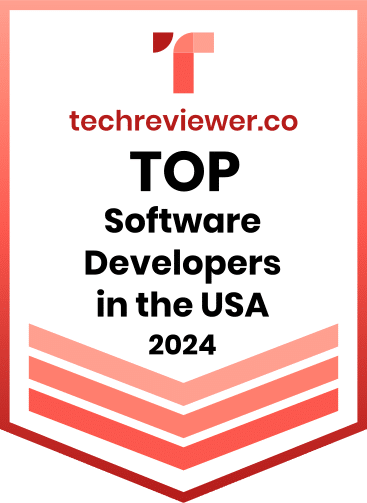
Cloudester Software named among the Top Software Developers in the USA
GET IN TOUCH
We specialize in creating high-performance web and mobile apps, seamlessly integrating them with your existing systems to enhance user experiences and streamline business operations.
ADDRESS
85 Delancey St, New York NY 10002, United States