September 4, 2026

AI Generated. Credit: ChatGPT
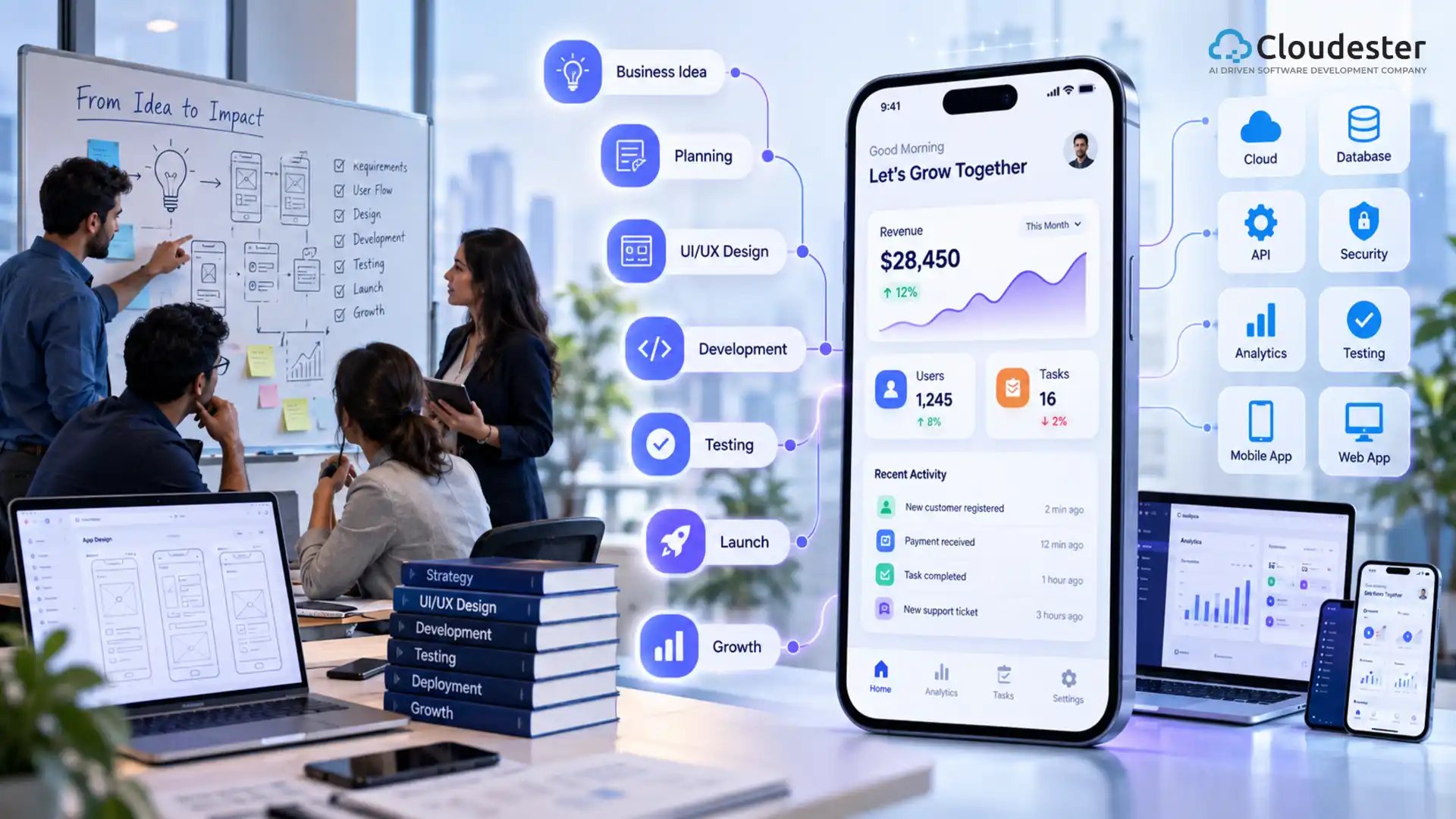
The AI-native software development lifecycle changes how software teams plan, build, test, release, and improve applications. Instead of adding AI to a traditional development process, teams design the workflow around AI capabilities from the start.
That distinction matters. An AI coding assistant can speed up programming, but an AI-native approach goes much further. It can connect requirements, architecture, code generation, testing, security, deployment, monitoring, and feedback into one intelligent engineering workflow.
For software companies, the opportunity is not simply to write code faster. The bigger opportunity is to reduce repetitive work, improve engineering feedback loops, and help teams make better decisions throughout the product lifecycle.
An AI-native software development lifecycle is a software engineering process designed to use AI throughout every major SDLC stage, from requirements and architecture to coding, testing, deployment, monitoring, and continuous improvement. AI agents and tools assist with analysis, generation, validation, automation, and decision support while human engineers remain responsible for critical technical decisions.
The model replaces isolated AI experiments with an integrated engineering system where AI becomes part of the development workflow.
A traditional SDLC usually follows defined stages such as planning, design, development, testing, deployment, and maintenance. An AI-native SDLC still includes these stages, but AI continuously supports the work between them.
| Traditional SDLC | AI-Native SDLC |
|---|---|
| Requirements are mainly reviewed manually | AI analyzes requirements and identifies gaps |
| Developers write most application code manually | AI assists with code generation and refactoring |
| Test cases are created largely by engineers | AI can generate and expand test coverage |
| Code reviews depend heavily on developers | AI performs preliminary code analysis |
| Deployment follows predefined automation | AI can help detect deployment risks |
| Monitoring mainly identifies known conditions | AI can analyze patterns and anomalies |
| Feedback arrives in separate cycles | Product and engineering feedback can flow continuously |
The key difference is how intelligence is embedded into the process.
AI should not become another disconnected tool that developers occasionally open. Instead, it should work with the team’s repositories, documentation, CI/CD systems, testing frameworks, observability platforms, and development standards.
The lifecycle begins before anyone writes production code.
AI can analyze product requirements, customer feedback, support tickets, business documents, and existing specifications. It can then identify duplicated requirements, missing details, dependencies, and potential edge cases.
For example, a product team planning a subscription platform could ask an AI system to analyze requirements for:
The AI can surface scenarios that might otherwise remain hidden until testing.
However, product owners and engineers should validate the output. AI can identify possibilities, but business context still requires human judgment.
Architecture decisions become more important as AI agents generate more software.
An AI-native workflow can review architectural requirements and suggest components, APIs, database structures, service boundaries, and integration patterns.
For an enterprise application, an AI engineering assistant might compare:
It can explain trade-offs based on scalability, operational complexity, security, cost, and development speed.
The best practice is to treat AI-generated architecture as a design proposal rather than an automatic decision.
Senior engineers should review critical choices involving data security, compliance, infrastructure, reliability, and long-term maintainability.
Coding is one of the most visible areas of AI-assisted development.
Modern coding tools can generate functions, explain unfamiliar code, create documentation, suggest refactoring approaches, and help developers troubleshoot errors.
But an AI-native software development lifecycle changes the role of code generation.
Instead of asking an AI tool to create isolated snippets, developers can use AI within a broader repository-aware workflow.
For example:
This creates a generate → validate → review → improve loop.
AI-generated code still needs testing, security review, dependency checks, and human approval. Faster code production does not automatically mean better software.
Testing is another area where an AI-native approach can create substantial leverage.
AI can help generate unit tests, integration tests, regression scenarios, test data, and edge cases from requirements or existing code.
Consider an e-commerce checkout process. Traditional testing may cover successful payment and a few known failures. AI-assisted testing can help identify additional scenarios involving:
The engineering team still determines which tests matter and verifies their correctness.
AI can also analyze failed tests and connect failures to recent code changes, reducing the time developers spend investigating routine problems.
Security should not become a final checkpoint before production.
An AI-native lifecycle incorporates security analysis throughout development. AI-based tools can help identify suspicious code patterns, vulnerable dependencies, insecure configurations, exposed secrets, and potential attack paths.
Teams can combine AI assistance with established security practices such as:
AI is useful for expanding analysis, but organizations should not treat AI-generated security conclusions as infallible.
For sensitive applications, human security professionals remain essential.
Once software passes validation, an AI-native workflow can support release decisions.
AI systems can analyze build failures, deployment logs, infrastructure changes, test results, and historical incidents. This information can help teams determine whether a release requires additional review.
For example, if a new deployment changes a heavily used payment service, an AI system could flag the change because it touches a critical component and recommend additional regression testing.
AI can also assist with:
The objective is not to remove DevOps engineers. It is to give them better context before they act.
The lifecycle does not end at deployment.
Production systems generate valuable information through logs, traces, metrics, customer feedback, support requests, and usage behavior. AI can analyze these signals and identify patterns that deserve investigation.
For example, an AI system might detect that API response times increase after a particular feature is enabled for a specific customer segment.
That insight can feed directly into the next engineering cycle.
This creates a continuous loop:
Build → Deploy → Observe → Learn → Improve → Build
That loop is one of the strongest characteristics of an AI-native software development lifecycle.
Organizations can gain several advantages when AI is integrated across the lifecycle rather than used only for coding.
AI can reduce time spent on repetitive analysis, documentation, test creation, and debugging.
Developers can spend more time on architecture, product decisions, complex logic, and solving customer problems.
AI-assisted analysis can identify potential issues before they reach later SDLC stages.
Automated test generation can help teams explore scenarios that developers may not initially consider.
AI systems connected to approved engineering documentation can help developers understand existing systems and technical decisions faster.
AI can assist with code modernization, documentation updates, dependency analysis, and technical debt identification.
AI-native engineering is powerful, but it is not a shortcut around engineering discipline.
Common risks include:
The strongest teams establish guardrails before increasing AI adoption.
These guardrails may include approved AI tools, repository permissions, coding standards, automated testing requirements, human review thresholds, security policies, and audit trails.
The terms sound similar, but they describe different levels of adoption.
| AI-Assisted Development | AI-Native Development |
|---|---|
| AI helps with selected tasks | AI is integrated across the lifecycle |
| Usually developer-led | Human-AI collaboration is workflow-driven |
| Tools may operate independently | Tools connect across engineering systems |
| Focus often starts with coding | Focus covers product-to-production workflows |
| Limited automation | Continuous automation and feedback |
| AI is an optional assistant | AI becomes part of the operating model |
Using an AI coding assistant does not automatically make an organization AI-native.
A company moves toward AI-native development when its processes, tools, architecture, governance, and engineering practices are redesigned to take advantage of AI.
A practical adoption strategy should start small.
Measure where teams spend the most time. Look at testing, documentation, code review, debugging, requirements analysis, or incident investigation.
Start with lower-risk workflows such as documentation generation, test creation, code explanation, or internal knowledge search.
AI becomes more useful when it has access to approved project documentation, coding standards, repository context, issue tracking data, and test information.
Define what AI can access, what it can generate, what requires human approval, and what information must never enter an external model.
Do not measure success only by lines of code generated.
Track outcomes such as:
Once a use case proves valuable, expand AI into adjacent stages rather than deploying dozens of tools at once.
The technology stack will vary by organization, but an AI-native engineering environment can include:
The important factor is not owning the largest collection of AI tools. Integration matters more than tool count.
Imagine a company developing a B2B SaaS platform.
A customer requests a new approval workflow. The product team documents the requirement, and AI analyzes the specification for missing scenarios.
The architecture assistant identifies the services and database changes involved. Developers then use AI to implement selected components while following repository standards.
Automated systems generate tests and run security checks. CI validates the change before deployment.
After release, observability tools detect unusual behavior. AI analyzes logs and recent changes, helping engineers identify the likely source.
The team then feeds the findings into the next development cycle.
The important point is that AI supports the entire chain rather than one isolated coding task.
Follow these principles when designing an AI-native development environment:
These practices help organizations gain speed without sacrificing reliability.
Software teams are moving from AI-assisted tasks toward AI-centered engineering workflows. Coding agents, automated testing, repository-aware assistants, and intelligent DevOps workflows are making it possible to automate larger portions of the development process.
That shift changes the engineering challenge.
The question is no longer simply “How can developers use AI?”
A more strategic question is:
“How should the software engineering system be redesigned when AI can participate in every stage?”
Companies that answer that question carefully can build development processes that are faster, more responsive, and easier to improve.
For organizations evaluating this transition, AI development services should focus on architecture, governance, integration, security, and measurable business outcomes rather than isolated AI features.
Also read: How Artificial Intelligence Is Transforming Modern Backend Systems
The AI-native software development lifecycle represents a broader change in software engineering than AI-assisted coding alone. It connects AI with requirements, architecture, development, testing, security, deployment, observability, and continuous improvement.
The most effective approach does not remove engineers from the process. Instead, it gives engineers intelligent systems that handle repetitive work, surface risks, analyze large amounts of information, and accelerate feedback.
Companies adopting this model should start with clear engineering problems, establish governance, measure results, and expand gradually. With the right controls, an AI-native lifecycle can become a practical foundation for building and maintaining modern software at scale.
An AI-native software development lifecycle is an engineering process that integrates AI across requirements, architecture, coding, testing, security, deployment, monitoring, and maintenance. Instead of using AI only as a coding assistant, teams redesign workflows so AI can continuously support analysis, automation, validation, and decision-making.
A traditional SDLC relies primarily on human-driven activities and predefined automation. An AI-native SDLC adds intelligent assistance across the entire lifecycle. AI can analyze requirements, generate code and tests, identify risks, investigate failures, and analyze production signals while engineers retain responsibility for important decisions.
No. AI-native development changes how developers spend their time rather than eliminating the need for engineering expertise. AI can handle repetitive tasks and provide recommendations, while developers remain responsible for architecture, business logic, security, quality, technical trade-offs, and final decisions.
The main benefits include faster feedback, reduced repetitive work, broader testing, improved development productivity, earlier risk detection, faster troubleshooting, and more efficient maintenance. However, organizations need strong governance and automated validation to gain these benefits without introducing quality, security, or compliance problems.
Yes. Smaller teams can often benefit because they have fewer people available for repetitive engineering work. They can begin with practical use cases such as AI-assisted documentation, test generation, code review, debugging, and internal knowledge search before expanding into more advanced AI agents and deployment automation.
Important risks include inaccurate generated code, security vulnerabilities, privacy issues, hallucinated dependencies, weak architectural recommendations, inconsistent output, and overreliance on AI. Companies should use access controls, automated testing, security scanning, human review, approved tools, and clear AI governance policies.
Coding often provides immediate productivity benefits, but AI can support nearly every SDLC stage. Requirements analysis, test generation, code review, debugging, security analysis, incident investigation, documentation, and production monitoring can all benefit when AI receives reliable engineering context.
Start by identifying a measurable engineering bottleneck. Select one low-risk workflow, establish security and governance controls, integrate the appropriate AI tool with existing engineering systems, and measure the outcome. Once the workflow demonstrates value, expand AI adoption into connected SDLC stages.
No. An AI coding assistant is only one component. An AI-native development process connects AI capabilities across product discovery, architecture, development, testing, security, deployment, observability, and maintenance. The larger goal is to redesign the engineering workflow around effective human-AI collaboration.
Companies should measure meaningful engineering and business outcomes rather than generated code volume. Useful indicators include development cycle time, defect rates, test coverage, review time, deployment frequency, incident resolution time, developer experience, and customer impact. These metrics reveal whether AI adoption is actually improving software delivery.



We specialize in creating high-performance web and mobile apps, seamlessly integrating them with your existing systems to enhance user experiences and streamline business operations.
85 Delancey St, New York NY 10002, United States